
If you notice a mistake on a pay stub, SecurePayStubs allows you to make corrections easily, both before and after downloading.
Correcting errors before payment or download
- Preview the pay stub before payment or download.
- If you see any errors, click the Make Changes option.
- Edit the details, such as hours worked, pay rate, deductions, or additional earnings.
- Save the changes and proceed to download the corrected pay stub.
Correcting errors after payment or download
- Login to your SecurePayStubs account.
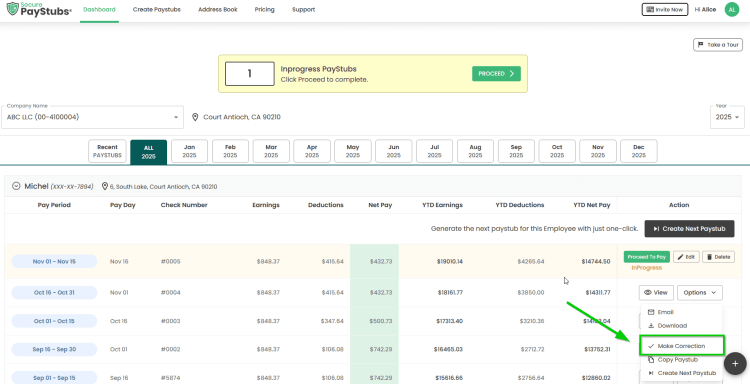
- Go to your Dashboard and locate the pay stub you want to correct.
- Click the Options button next to that pay stub.
- From the dropdown, select Make Correction.
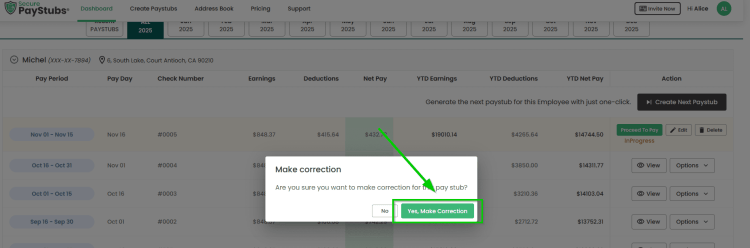
- A pop-up will appear: “Make Correction – Are you sure you want to make corrections for this pay stub?” Click Yes to proceed.
- Edit the necessary information and save the updated pay stub.
Last modified: March 9, 2026


